Tuesday, 21 February 2017

Certified Fiber Optics Training (CFOT) course


  Course Description
This accredited and certified Fiber Optics course is designed for anyone interested in becoming an engineer in Fiber Optic technology with the ability to handle the various technical areas of installation leading to the award of CFOT from FOA. This program combines both theory and practical exercises with the use of relevant software in designing proposed fiber route and implementation The skill to be acquired in this course centered on: Installation, Termination, Splicing, Testing & Documentation among other skills


Pre-requisite
The course can be taken by a new student to the skills of computer networkibg & engineering. Enrollment is restricted to people with the ability to read & write in basic English Language and it is ideal for anyone who is to be employed as Fiber Optic system analysts & also telecommunication professionals, electronics, electrical and mechanical, Marine & Oilfield engineers. Every training is assumed as a one-on-one hand on practical. Students must be ready to study individually or in group sharing tools & work theory
Objective
At the end of this course you will learn & understand the history and operation of Fiber Optics, Terminate a variety of connector, Perform Fusion Splicing and Mechanical Splicing, Perform Cable Preparation for Fusion, Assemble a Splice enclosure, Fully test and troubleshoot Fiber Optic cables and Fiber Optic Systems using an Optical Time Domain Reflectometer (OTDR), Fiber Optics Networking Standards, learn FOA-CFOT, BICSI and RCDD Certification, Fiber Optics Cable and Connector Identification, Outside Plant Cable Introduction, Termination of Fiber Connector, Splicing (Mechanical &Fusion), Design & Installation of Fiber Cabling, Outside Plant Fiber Cable preparation, termination & testing, Introduction to Basic OTDR Functions, & so much more about power of FOA.

1. INTRODUCTION TO FIBER OPTICS:
a. Brief history.
b. Definition. c. Advantage of fiber optics transmission over copper, coaxial and radio frequency.
d. Preparation/manufacturing of fiber optics cables.

2. HEALTH AND SAFETY RULES OF FIBER OPTICS INSTALLATIONS:
a. Health and safety execution (HSE) under TIA/EIA regulation.
b. Warning signs
c. Safety equipment
d. Electrical safety
e. Confined spaces

3. FIBER DESIGN/WORKING PRINCIPLES:
a. Core, cladding, buffer coating or primary coating and Strength members.
b. Reflectiion, Refraction and Refractive index.
c. Critical angle and total internal reflection.
d. Fiber types: All plastic (P.C.S. and H.C.S. All glass (Step index MM,Graded index MM and Single mode)
e. Numerical aperture(NA)/ Acceptance Cone
f. Mode Field Diameter MDF: Defines the size of power distribution through the core /Cladding of the fiber.

4. OPTICAL NETWORK:

a. Definition of what a fiber optic network is.
b. Transmitters/Light sources ( LEDs, VCSELs & LASER)
c. Optical fiber parameters Wavelength Frequency WDM
d. Fiber optics amplifiers EDFAs (erbium doped fiber amplifiers) Raman amplification
e. FO Attenuators: Types and Uses
f. Windows/operating wavelength

5. CABLING
CABLE TYPES
a. TIGHT BUFFERS : Distribution cables, Breakout cables
b. LOOSE TUBES :Ribbon cables, Armored, OPGW cables
c. Hybrid and Composite cables

CABLE SELECTION SPECIFICATION
I. Installation Specification
II. Environmental Specification

CABLE RATING
I. Plenum Area
II. Risers
III. General Purpose

6. FIBER CONNECTORS
a. TYPES
I. ST Connectors
II. LC Connectors
III. FC/RC Connectors
IV. SC Connectors
V. MT/RJ

b. Termination Procedures
1. Adhesive Termination Epoxy/polish, Hot-Melt, Anaerobic Adhesives, Acrylic
2. Crimp/polish
3. Prepolished splice


c. Polishing Techniques
The Flat Finish, Physical Contact (PC),Angled Physical Contact (APC)

7. SPLICING
a) Definition
b) Types: Mechanical/Fusion
c) Choosing a splice type
d) Step by step splicing Process
e) Splice Losses; Cause and Remedies

8. FIBER LOSSES
a) Definition
b) Types/kinds of losses in fiber optics links
a) Attenuation (Rayleigh scattering, Absorption and leakages)
b) Dispersion(modal,chromatic and PMD)
Loss budget in a fiber optic link.

9. OPTICAL FIBER COLOUR CODE
a) TIA/EIA Standard
b) Installation processes

10. CABLE PLANT HARDWARE

a) TIE/EIA Standard
b) Splice organizers and splice trays
c) Splice enclosures
d) Splice panels
e) Racks and cabinets

11. TESTING AND DOCUMENTATION
a) Visual fault tracing
b) Visual fault locator
c) Visual connector inspection
d) Optical time-domain reflectometer (OTDR)
e) OTDR limitations
f) Optical power loss(absolute and relative test)
g) Measuring Power
h) Testing Loss(single ended loss and double ended loss
WEB DESIGN TRAINING (CWAD)


CWAD

COURSE OVERVIEW
This course is intended for individuals who desire to become a leading web designer, developer and web programmer so as to be able to determine the most effective way to present Web pages. To be successful in a career in Web application development and design, you must be creative and artistic, understand this technology, and be knowledgeable about business. Web developers do their own coding by using scripting and programming languages such as XHTML, html, css, jquery JavaScript, ASP, JSP PHP, COLD FUSION etc and databases such as MySQL, ORACLE, SQLserver, etc. This course greatly prepares you as a programmer to do your own dynamic coding & web bushiness.

SYLABUS
At the end of this course the student would have learnt the following about website design & programming .

Understanding Web fundamentals
* Basic HTML
* Using Ms FrontPage
* Using Macromedia Dream weaver
* Web graphics with Fireworks (corel draw, photoshop,photopaint and fireworks)
* Web animations with Swish Max
using jquery and javascript
* Coding and Attaching CSS
* Forms and Form Elements.
* Introduction to Form Processing using PHP.
* Hosting and Domain Name Registration.
* Using Cpanel (Control panel) to Deploy and Manage a Website CMS(CONTENT MGMT SYSTEM)

wordpress, Joomla, LMS.

* Using FTP (File Transfer Protocol) to Deploy and Manage a Website
* Database Normalization,
* Creating and Using a Database,
* Interacting with the DB using SQL Statements,
* Advance HTML ,
* Variables, Printing, Arrays & Functions,
* User authentication & advance form processing,
* String manipulation and formatting,
* Communicating with the Database,
* Error Reporting Levels and settings etc

Who is a Web designer?
Today most companies and millions of individuals have websites. Web designers determine the most effective and attractive way to present information on the Web. They must be creative and artistic, understand technology, and be knowledgeable about business.
Some Web designers do their own coding by using scripting and programming languages such as XHTML, JavaScript, and PHP and databases such as MySQL.
Other designers work in conjunction with programmers. They use software such as Fireworks or Dreamweaver to prepare their designs, and a programmer does the coding. Many websites have a commercial purpose; hence, knowledge about business, especially Web-based business, is a desirable characteristic for a Web designer.

Where do Web designers work ?

* --Self-Employed
Web design can easily be done from home; as a result, many Web designers work as freelancers. They may have started by creating their own Web site and then moved to creating Web sites for paying customers. Many freelancers specialize in a particular type of business or industry, such as nonprofits, religious organizations, or small businesses.

* --Consulting Firms
Some information-technology consulting firms offer Web design services. Businesses contract with these firms to design their websites.
* --Business, Industry, and Government
Large companies and federal, state, and local governments usually have their own Web development teams that consist of programmers, designers, and writers. The programmers do the coding, the designers do the graphics and layout, and the writers write the content

CISCO TRAINING


          CSNT COURSE OUTLINE


OVERVIEW
This course is intended for individuals who desire to become leading practitioners in system and laptop engineering, Networking with security and surveillance that exclusively prepare the student for a career in computer engineering with very high sense of confidence in their skill to deliver technical jobs for their clients while working on their own and utilizing their link with the institution to become a full time consultant in this field.

Our aim is to prepare the student for a real life use of these skill for instant use in their own business and to understand computer better.

OBJECTIVE
At the end of this course you will learn the following about the computer such as computer identification & functionality disk preparation and system, upgrading hardware and software configuration. Managing system Conflict, Trouble shooting Techniques, Setting up wired and wireless LAN, Structured Cabling, Wireless configuration Ad-Hoc and Infrastructure, Managing client and WAN server network, Configuration of Active Directory Service, Security Configuration and Analysis, assembling and laptop, disassembling techniques, Memory Configuration, Configuration of mother board jumpers, Installation of operating system, laptop trouble shooting techniques, Backup and Data recovery, Upgrading of laptop component, System maintenance i.e corrective and preventive maintenance. Security camera Identification and functionality, Installation of CCTV camera, Configuration of DVR & so much more.


Module I: COMPUTER ENGINEERING
• Computer Architecture & Accessory
• Operating System
• Installation maintenance/repair
• Basic & Digital Electronic: repair on power pack, monitor Printers etc.
• System Engineering
• Troubleshooting & Data recovery

Module II NETWORKING ENGINEERING
• Wired and wireless networking
• Café setup and Billing
• Cabling termination and testing
• System configuration & sharing
• Structured Cabling
• Dialup Networking
• Cable Construction: Patch Cords,
• Crossover, Straight through etc

Module III :  LAPTOP ENGINEERING
• Introduction to laptop
• Identification of laptop component
• Soldering and Desoldering.
• Memory types and their function
• Screen size and interface
• Types of cards i.e VGA, POWER, WIRELESS, LAN CARD
• Types of ROM and its identification
• Types of Hard drives
• Types of processor such as:

Module IV: SECURITY AND SURVEILLANCE
• CCTV Camera installation
• DVR configuration
• Troubleshooting and repair

PRE-REQUISITE
The course can be taken by a new student to the skills of computer science and computer engineering.
Enrollment is restricted to people with the ability to read & write in basic English Language and it is ideal for anyone who is to be employed as a computer engineer, business men or women & also Network administrator and Security Analyst and Laptop Engineers. Every training is classified as a one-on-one hand on practical. Students must be ready to study individually or in group sharing tools & work theory.


VSAT TRAINING COURSE

                                        VSAT TRAINING  


Course Objectives
This course is to provide the framework of VSAT technology in the evolving context of satellite communications in terms of network configuration, services, economics, operational and regulatory aspects. It can also be considered by the reader as a guide to the following chapters which aim to provide more details on specific issues.
Prerequisites:
An awareness of LAN, WAN, Wireless communication.
Student will learn:
1. The installation of both KU or C band Vsat
2. Tracking of satellite using SATLOOK or spectrum analyzer
3. Calculating angle using inclinometer
4. Finding locations using Compass
5. Configuration of Modem


COURSE OUTLINE:
§  VSAT network definition
§  VSAT network configurations
§  User terminal connectivity
§  VSAT network options
§  Star or mesh?
§  Data/voice/video
§  Fixed/demand assignment
§  Frequency bands
§ 
Hub options
§  VSAT network earth stations
§  VSAT station
§  Hub station
§  Installation & Configuration
§  VSAT Hub
§  Antenna pointing

§ 
Tracking & Locking using spectrum Analyser


COMPUTER ENGINEERING TRAINING


                                                                   COMPUTER ENGINEERING


MODULE 1:   COMPUTER ENGINEERING

COURSE OBJECTIVE
At the end of this course you will learn the following about the computer such as computer identification & functionality disk preparation and system, upgrading hardware and software configuration, Trouble shooting Techniques, Setting up wired and wireless LAN, Structured Cabling, Wireless configuration Ad-Hoc and Infrastructure, Managing client and WAN server network, Configuration of Active Directory Service, Security Configuration and Analysis, Memory Configuration, Configuration of mother board jumpers, Installation of operating system, system trouble shooting techniques, Backup and Data recovery, component, System maintenance i.e corrective and preventive maintenance,-File systems (FAT, NTFS, HPFS), Configuration of systems resources (IRQ, DMA, I/O Address),Disk configuration settings. Ghosting & so much more.

TARGET AUDIENCE
• Students with the knowledge of desktop publishing that wants to further their knowledge in the IT world
• Students with little or no knowledge in IT, this is due to the fact that we train our students from the basics
• Software professionals that needs practical knowledge on hardware (this will help them troubleshoot their computers when necessary)

STUDENTS WILL LEARN
• The practical aspect of computer engineering
• How to identify computer components and their functions
• How to assemble a system unit and installation of software
• How to fix computer related problems (troubleshooting)
• How to place several machines on the network and make them communicate
• How to network systems together
• How to setup cyber café
• Troubleshooting a network
• E.t.c


A:     INTRODUCTION
• Introduction and definitions
• Computer appreciation/preparatory class
• Generations of computers
• Identification and functionality of computer peripherals

B:    Computer Architecture Assembly (CAA)

• System unit components identification and functionality
• Compatibility and assembling
• System unit upgrade

C :    Operating system (OS)

• MS DOS windows operating system
• Disk preparation (partitioning and formatting)
• Internal and external commands
• File systems (FAT, NTFS, HPFS)

D:    Installation Maintenance and repair (IMR)

• Installation of windows operating system
• Dual booting and upgrading
• Configuring hardware and software resources
• Preventive and corrective maintenance
• Back up

E :    Basic and Digital Electronics (BDE)


• Electrical components identification and functionality such as: diode, capacitor, resistor, transformer
• Soldering and de-soldering
• Components test using multi meter
• General repairs on:
o Power pack
o Monitor
o Printer
o UPS


F:    SYSTEM ENGINEERING
• Conflict avoidance and management
• IRQ, DMA, I/O ADDRESS
• Processor upgrade
• Internal components of an HDD
• Understanding setup environments (BIOS) AWARD, AMI, PHOENIX

G:     TROUBLESHOOTING AND DATA RECOVERY

• Software and hardware troubleshooting
• Data back up and data recovery
• Use of third party utilities such as: EZ, DM, GHOST 6.0, STARTUP DISKETTE
• Cloning of an HDD

MODULE II : NETWORKING ENGINEERING
 

• LAN CONCEPT AND CONFIGURATION
• IP Addressing and Subnetting
• Network Performance and Troubleshooting
• Cable Types and Cabling
• Café Setup and Billing
• Dial Up Networking and Internet Sharing
• Network Administration (Window 200 Server)
• DHCP, DNS, Active Directory
• WIRELESS ARCHITECTURE, DESIGN AND IMPLEMENTATION
• Wireless LAN (Ad Hoc and Infrastructure)
• Bridging Wireless and Wired Network
• STRUCTURED CABLING
• Patch panel termination,
• Patch cords construction,
• Trunking,
• Termination on face plate


DELIVERY METHOD
Instructor shall deliver lectures along side with all the required practical equipment with the aid of symmetric diagrams. He shall also lecture with soft copy of the course for better understanding along side with a projector for clarity especially n a large class. Writing materials and text book shall be supplied to all students free of charge. The lecture room is academic friendly; it is spacious enough with constant power supply.


cellula networking,CELLULAR MOBILE WIRELESS DESIGN AND MANAGEMENT,BASIC DIGITAL & ELECTRONICS REPAIR & MAINTENANCE

BUILDING A CELLULAR MOBILE NETWORK


MODULE  ONE
NETWORK STRUCTURE
·         EVOLUTION OF CELLULAR MOBILE STANDARDS
·         COMMUNICATION PARAMETERS
·         FACTOR AFFECTING WIRELESS COMMUNIUCATION
·         MOBILE NETWORK WIRELESS CHANNELS
·         MOBILE NETWORK ACCESS METHODS
·         NETWORK STRUCTURESNETWORK INTERFACES
·         MOBILE COVERAGE AREAS
·         CELLULAR MOBILE CIVIL ENGINEERING
·         BUILDING THE MAST(CASTING)
·         ERECTING THE MAST
·         CONSTRUCTING THE BASE OF THE BASE STATION
·         DETERMINING THE DIMENSION OF THE BASE STATION
·         MOBILE NETWORK DESIGN TEAM (SURVEYORS, CIVIL ENGINEERING, RIGGERS, RF ENGINEERS, PROJECT MANAGERS, SITE SUPERVISOR, ELECTRICAL ENGINEERS).
·         POWER & ELECTRICALS
·         PHCN, INVERTER & BATTERY, GENERATOR PLANT
·         FUEL SYSTEMS
·         POWER CABLES & EARTHEN CABLES
·         ELECTRICAL TOOLS(DIGITAL METER, PLIER, CUTTER)
MODULE  TWO
TRANSMISSION IN CELLULAR MOBILE NETWORK
·         COMMUNICATING THROUGH A MOBILE NETWORK
·         CELLULAR MOBILE WIRELESS COMMUNICATION CHANNELS
·         CHANNEL MODE
·         LINK TYPES
·         DUPLEX DISTANCE, BANDWIDTH, GUARD BANDS, & CHANNEL SEPARATION
·         MEANS OF TRANSMISSION (WIRED & WIRELESS)
·         RADIO WIRELESS (MICROWAVE)
·         SATELLITE WIRELESS
·         FIBER OPTICS TECHNOLOGIES & ELECTRONICS
·         CELLULAR MOBILE RADIO COMPONENTS (ANTENNA, BTS, SUMA, TRX, COAXIAL CABLE, FEEDER CABLE)

MODULE  THREE
CELLULAR MOBILE WIRELESS DESIGN AND MANAGEMENT
·         NETWORK DESIGN
·         WHAT IS A CELL (STRUCTURE)
·         FREQUENCY REUSE SYSTEMS(CLUSTER)
·         MOBILE ANTENNA STRUCTURE(SECTOR)
·         HANDSOFF
·         DESIGN MAPS
·         HEXAGONAL DESIGN GRID
·         FIBER OPTICS AND CELLULAR MOBILE NETWORK
·         UNDERSTANDING FTTX (FTTA/FTTbts)
·         ADVANCED CELLULAR MOBILE STANDARDS (UMTS, HSPDA, LTE)
·         COMPARING CONVENTIONAL CELL WITH FTTA CELLS
·         FTTA DESIGN
·         UNDERSTANDING RRU/RRH
·         FIBER PREMISES CABLING TO A CELLULAR MOBILE NETWORK
·         PLANNING IN CELLULAR MOBILE NETWORK
·         REASONS FOR PLANNING
·         METHODS OF PLANNING (PRE-PLANNING, SITE SURVEY, SEARCH, SELECTION, )
·         PLANNING TOOLS (GPS, MAPSOURCE, COMPASS)
·         REASONS FOR PLANNING (COVERAGE, CAPACITY, QUALITY, HANDOVER)
·         OPTIMISATION
·         MODELS, CELL PARAMETERS, KPI values OF A CELL
·         TOOLS OF OPTIMISATION
·         MAINTENANCE, TEST & MEASUREMENT
·         IDENTIFYING MAINTENANCE TOOLS
·         AGILENT RF & POWER ANALYSER
·         WHAT TO TEST (CABLE, ANTENNA, RF SYSTEMS ON THE CELL SITE)
·         RESULT OF TESTING (VSWR, RETURN LOSS, INSERTION LOSS, TRX LOSS, CABLE LOSS, DTF MEASUREMENT)
·         PHASE & FREQ MEASUREMENT OF TRX
·         RF & power time
·         TYPES OF TEST (TDMA (KPI TEST), CDMA TEST),
·         KPI TEST (CDR, BER, HOSR, ACCESSIBILITY, CALL DENY, RETAINABILITY, TIME ADVANCE, CALL MARGIN)


COURSE FEE:  N120,000
DURATION :  6 Weeks


BASIC DIGITAL & ELECTRONICS REPAIR & MAINTENANCE
MODULE  1:  BASIC APPROACH TO ELECTRONICS REPAIRS/MAINTENANCE
·         Introduction to basic electronics quantities
·         Identifying basic electronics components
·         Functions of basic electronics components
·         Determining components values (using digital meters)
·         Testing faulty electronics components
·         Working with some electronics tools and instruments
·         Troubleshooting techniques
MODULE  2: HANDSET REPAIRS AND MAINTENANCE
·         Introduction to handset repairs
·         What is GSM
·         Evolution in cellular mobile technology
·         Effect of mobile handset to society
·         Understanding cellular mobile technologies
·         Communication using the cellular mobile
·         Handset components identifications
·         Tools and instruments and their functions
·         Parts of a mobile phone identification
·         Functions and operation of each part
·         Circuit and track reading and tracing
·         Assembling & disassembling
·         Using the various tools & instruments
·         Video conversion
MODULE  3: LAPTOP REPAIRS AND MAINTENANCE
·         Introduction to laptop systems
·         Different types of laptop
·         Parts of the laptop
·         Functions of parts
·         Components of the laptops
·         Faults and remedies associated with laptops
·         Assembling and disassembling.
·         Troubleshooting a faulty laptop
·         Identifying faults on laptop.

COURSE FEE:  N45,000
DURATION :  2 MONTHS


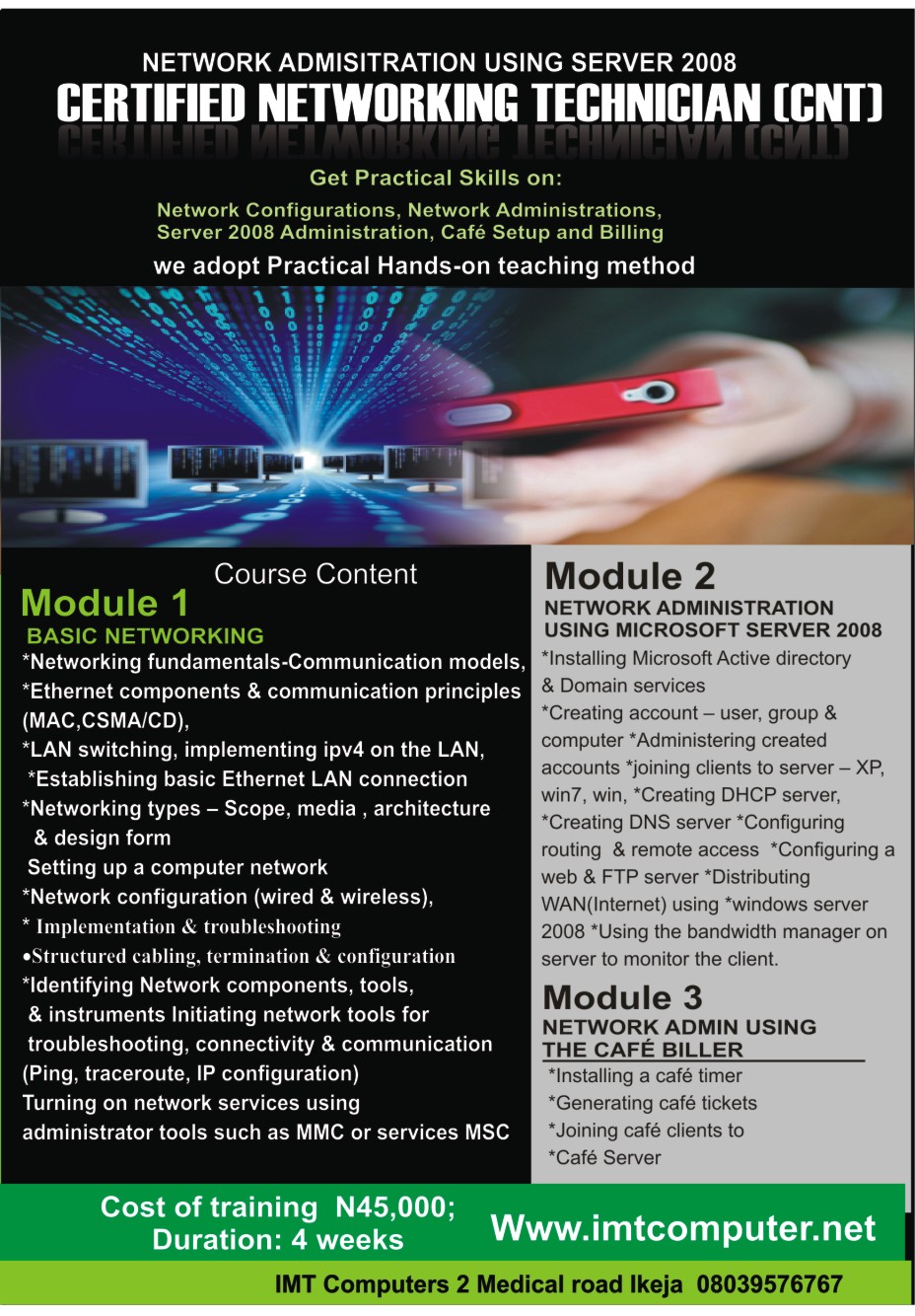
   CERTIFIED NETWORKING TECHNICIAN   (CNT)

MODULE  1:  NETWORKING
·         Introduction to networking as a platform
·         Networking components (connectivity devices, communicating devices, communication links, network resources)
·         Network classifications
·         Network components identifications
·         Network cable termination
·         Structured networking
·         Network connection
·         Identifying internet protocol addresses
·         Configuring network adapters
·         Testing network functionality
·         Accessing workgroup computers
·         Sharing network resources
·         Setting up a wireless LAN network using access point
·         Configuring access point
·         Introduction WIFI networking                20
MODULE  2: NETWORK ADMINISTRATION USING MICROSOFT SERVER
·         Introduction to server operating systems
·         Active directory and domain services
·         Setting up Microsoft domain services
·         Identifying Microsoft servers components (ADDS, DHCP, DNS, etc)
·         Configuring server 2008 active directory services
·         Joining clients to the server    


MODULE  3: USING LINUX OPERATING SYSTEM
·         Introduction to linux operating systems
·         Installation of linux operating systems
·         Components of linux operating system
·         Identifying linux interfaces
·         Creating some objects in linux (users & group)
·         Managing created objects (deleting, renaming, etc)    10


MODULE  4:  CISCO CERTIFIED NETWORK ASSOCIATE (CCNA)
·         Networking fundamentals
·         Ethernet LAN & switches
·         IP addressing & subnetting
·         Implementing IPv4 addressing
·         Introduction to wide area networking (WAN)
·         Advanced IPv4 addressing
·         Introduction to IPV6 addressing
·         IP services
·         LAN switching
·         IPv4 routing
·         IPV4 routing protocols
·         WAN
·         IPV6
·         IP network management                                   

MODULE  5: APPLICATION OF FIBER OPTICS IN TELECOMS
·         Introduction to fiber (fiber optics & optics fiber)
·         Structure of fiber optics cable
·         Principles of operation
·         Fiber components identification
·         Termination of fiber optics cable
·         Splicing in fiber optics cable
·         Determination of loss, link, & power budget
·         Identifying some fiber optics electronics
·         Fiber site survey using GPS
·         Fiber site operation (trenching, ducting, blowing, laying).
             
COURSE FEE:  80,000
DURATION :  2 ,MONTHS


TELECOM TRANSMISSION TECHNICIAN (TTT)

 MODULE  1: SATELLITE TRANSMISSION
·         Introduction to satellite communication
·         Components of satellite
·         Functions of satellites
·         Satellite communication links/devices (GPS, TVRO & VSAT)
·         VSAT components identifications
·         VSAT equipment assembling
·         VSAT satellite tracking
·         UNDERSTANDING SATELLITE MODEMS     15
MODULE  2 :RADIO TRANSMISSION    (RF Technology)
·         Understanding WIFI standards
·         WIFI devices
·         Setting up WIFI network
·         Configuring WIFI devices
·         Understanding WIMAX technologies
·         Relationship between WIFI, WIMAX, fiber optics & satellite
·         WIMAX VARIANTS (LTE & 4G)    15
MODULE  3: CELLULAR WIRELESS MOBILE
·         EVOLUTION OF CELLULAR MOBILE STANDARDS
·         COMMUNICATION PARAMETERS
·         FACTOR AFFECTING WIRELESS COMMUNIUCATION
·         MOBILE NETWORK WIRELESS CHANNELS
·         MOBILE NETWORK ACCESS METHODS
·         NETWORK STRUCTURESNETWORK INTERFACES
·         MOBILE COVERAGE AREAS
·         CELLULAR MOBILE CIVIL ENGINEERING
·         BUILDING THE MAST(CASTING)
·         ERECTING THE MAST
·         CONSTRUCTING THE BASE OF THE BASE STATION
·         DETERMINING THE DIMENSION OF THE BASE STATION
·         MOBILE NETWORK DESIGN TEAM (SURVEYORS, CIVIL ENGINEERING, RIGGERS, RF ENGINEERS, PROJECT MANAGERS, SITE SUPERVISOR, ELECTRICAL ENGINEERS).
·         POWER & ELECTRICALS
·         PHCN, INVERTER & BATTERY, GENERATOR PLANT
·         FUEL SYSTEMS
·         POWER CABLES & EARTHEN CABLES
·         ELECTRICAL TOOLS (DIGITAL METER, PLIER, CUTTER)
·         INTRODUCTION MICROWAVE TECHNOLOGY     30

MODULE  4:  APPLICATION OF FIBER OPTICS IN TELECOMS
·         Introduction to fiber (fiber optics & optics fiber)
·         Structure of fiber optics cable
·         Principles of operation
·         Fiber components identification
·         Termination of fiber optics cable
·         Splicing concept in fiber optics cable
·         Determination of loss, link, & power budget
·         Identifying some fiber optics electronics
·         Fiber site survey using GPS
·         The basis of Fiber site operation (trenching, ducting, blowing, laying).   30


COURSE FEE:  60,000

DURATION :  1 MONTH

 
biz.